Solitaire - Classic Card Games
MobilityWareCard
4.6202.91K Reviews
- Version
- 9.8.1.6718
- Installs
- 100.00M
- Age Rating
- Everyone
Screenshots

Our Review of Solitaire - Classic Card Games
 Analysis by Appyee
So, here we go! I recently got my hands on Solitaire - Classic Card Games, and let me tell you, it's been a real trip down memory lane. If you're like me and spent countless hours trying to stack those cards into perfect piles back in the day, this app is going to feel like a warm hug from your past. But enough with the nostalgia—let’s dive into what makes this app tick and why it might just be the perfect addition to your phone.
Getting Started
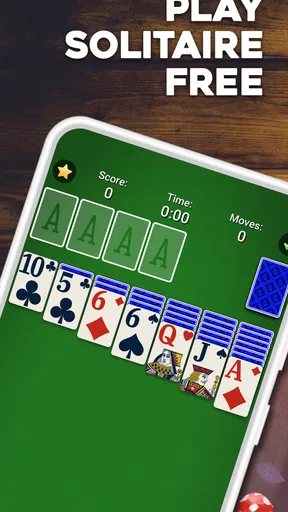
First things first, downloading Solitaire - Classic Card Games is a breeze. Available on both Android and iOS, just a few taps and you’ll be ready to play. Once installed, you’re greeted with a clean and straightforward interface that’s easy on the eyes. It’s like the app is saying, "Hey, let’s get down to business." No frills, just classic Solitaire goodness.
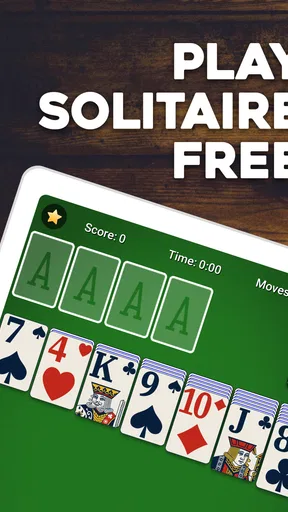
The setup is exactly what you’d expect. You've got your standard 52-card deck, and the goal is to organize those cards into four piles by suit, from Ace to King. It’s simple, yet devilishly challenging at times—just how I remember it. The app offers a few variations, like Draw 1 or Draw 3, so you can switch things up if you’re feeling adventurous.
Features That Stand Out
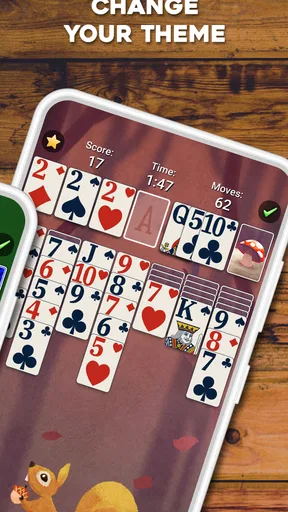
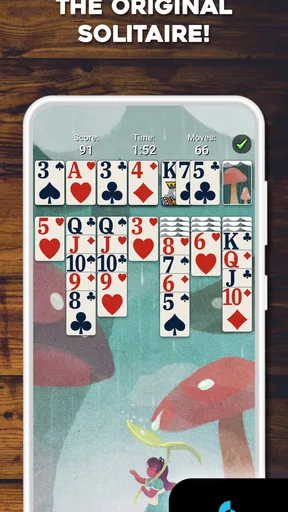
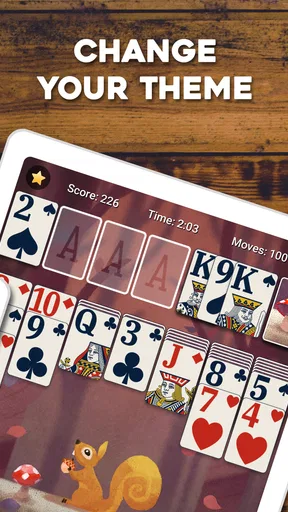
Now, let’s talk features. One of the things I really appreciated was the customization options. You can change the card backs and the table themes, which is a nice touch if you want to personalize your playing experience. There’s something oddly satisfying about playing on a virtual table that matches your mood.
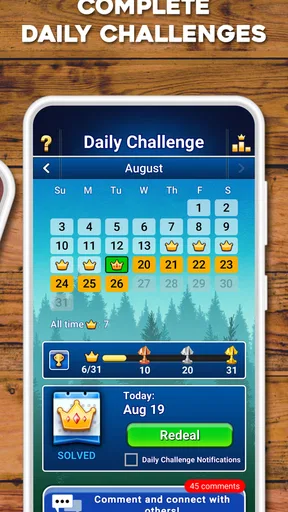
The app also includes daily challenges, which add a nice layer of engagement. Completing these challenges earns you points, and who doesn’t love a little friendly competition? It’s a great way to keep things fresh and give you a reason to come back every day.
Another noteworthy feature is the hint system. We’ve all been there—staring at the screen, stuck, unable to see the next move. The hint feature is like having a little guardian angel whispering in your ear, "Hey, maybe try that card over there." It doesn’t make the game too easy, but it’s a nice nudge when you need it.
User Experience and Performance
Performance-wise, the app runs smoothly without any hiccups. I didn’t experience any lag or crashes, which is always a plus in my book. The touch controls are responsive, making it easy to drag and drop cards without any frustration.
The user experience is seamless, and the app does a great job of keeping things simple. There are no annoying ads popping up every five seconds, which is a huge relief. You can just play the game without any unwanted interruptions.
Why You Should Download It
If you’re looking for a game that offers both relaxation and a bit of brain exercise, Solitaire - Classic Card Games is a solid choice. It’s perfect for those moments when you need a quick break or want to unwind after a long day. Plus, it’s one of those games that you can pick up and play anytime, anywhere.
It’s also a great way to introduce a new generation to the joys of Solitaire. Whether you’re a seasoned pro or a curious newbie, this app has something for everyone.
In conclusion, Solitaire - Classic Card Games does an excellent job of bringing a classic game into the modern world. It keeps the essence of what made Solitaire a beloved card game while adding just enough features to keep things interesting. So go ahead, give it a download, and let the card stacking begin!
Privacy and Permissions
See what permissions an app requests and how it handles your data.
- Other
- view network connections, full network access, control vibration, prevent device from sleeping, Google Play license check
Verdict
Strengths of Solitaire - Classic Card Games
- Smooth and intuitive controls.
- Variety of game modes available.
- Offline play supported.
- Visually appealing graphics.
- Regular updates enhance features.
Limitations of Solitaire - Classic Card Games
- Contains ads between games.
- Limited customization options.
- No multiplayer mode available.
- In-app purchases can be pricey.
- Occasional minor bugs reported.
Other Releases by MobilityWare
View All


Similar Picks in This Category
View All
UNO!™
Mattel163 Limited4.3

Spider Solitaire: Card Games
MobilityWare4.6

Solitaire.com - Classic Cards
Tripledot Studios Limited4.7

Plants vs. Zombies™ Heroes
ELECTRONIC ARTS4.1

Hearthstone
Blizzard Entertainment, Inc.4.1

Yu-Gi-Oh! Duel Links
KONAMI4.4
You May Also Like
View All
Frequently Asked Questions
What features does Solitaire - Classic Card Games offer?
Solitaire - Classic Card Games provides a traditional experience with a modern twist. It includes multiple modes like Klondike, Spider, and FreeCell. The app offers daily challenges, customizable themes, and hints to help improve your gameplay. Additionally, it supports both portrait and landscape orientations for flexible play.
Is Solitaire - Classic Card Games free to play?
Yes, Solitaire - Classic Card Games is free to download and play. However, it includes optional in-app purchases. These purchases may offer additional features such as ad-free experiences or unique themes. The game remains fully functional without purchases, allowing you to enjoy classic solitaire at no cost.
Does Solitaire - Classic Card Games require an internet connection?
No, Solitaire - Classic Card Games can be played offline, making it perfect for travel or areas with limited connectivity. While some features, like daily challenges or updates, may require internet access, the core gameplay is fully available offline, ensuring uninterrupted playtime.
Are there any accessibility features in Solitaire - Classic Card Games?
Yes, the app includes several accessibility features to enhance user experience. It offers adjustable card sizes and a simple interface for easier navigation. Additionally, there's an option for colorblind modes, ensuring that players with different needs can enjoy the game comfortably.
Can I sync my progress in Solitaire - Classic Card Games across devices?
The app supports progress syncing through cloud services. By logging into your account, you can save and transfer your progress across multiple devices. This feature ensures that you can pick up where you left off, whether you're using your phone, tablet, or another device.
Play our best games!


